AI workspace
Use an included AI model with protected prompts.
For people who want AI help with client work without a separate AI subscription. One account holds your workspace, credits and API key.
Review first. Then ask the model.
Names, identifiers, addresses and secrets in your text are swapped for placeholders such as [PERSON_1]. You see what the model will get. After your review, the placeholder version goes to an included AI model, and the answer shows the real values on your screen.
Sign in to the workspace ↗New here? Create an account to get the free credit.
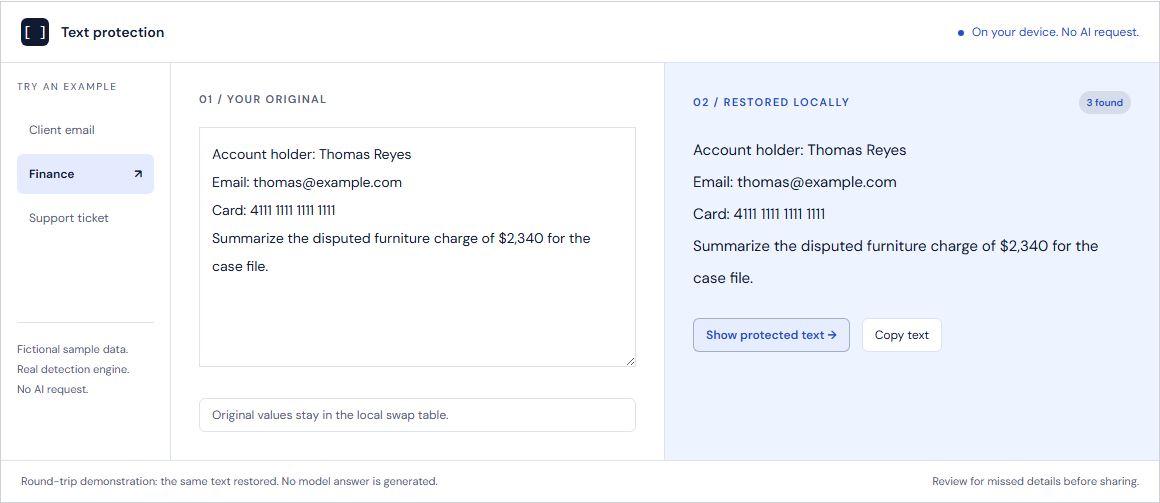
Separate from the free check
The free browser check sends no text to an AI model. It needs no account and uses no credits.
The workspace is a separate step. Model calls and billing happen there. Each message you send to the included model uses credits, because the model runs on our account.
Credits
The included AI models are billed in credits. There is no seat fee or subscription.
| Price per credit | USD 0.05 |
|---|---|
| Top-ups | From USD 100 |
| Free credit on sign-up | USD 20 |
| What one credit covers | Each started block of 8,000 tokens |
Some model options use more credits per block. Until your first top-up, the workspace allows 25 messages a day. See pricing for each option and the current offers.
Availability
Hushbridge is the new name for Tightlip. The workspace is in transition to the Hushbridge name. Current access is through tightlipai.com, where sign-in, billing and support stay during the change. Sign in at tightlipai.com.
What you still need to check
- Detection can miss a name that has no cue around it, such as a title, role or label. The rest of the text can still identify a person.
- The model receives the placeholder version, plus anything detection did not catch. Review it before you send.
- If you use the browser extension instead, it does not scan attachments, and a chat site’s page can read text while you type.